Lesson 5 / 5 in Marketing & Growth
3 Mistakes I Made After Wasting 800 USD on App Store Ads (Real Campaign Data Revealed)
TL;DR
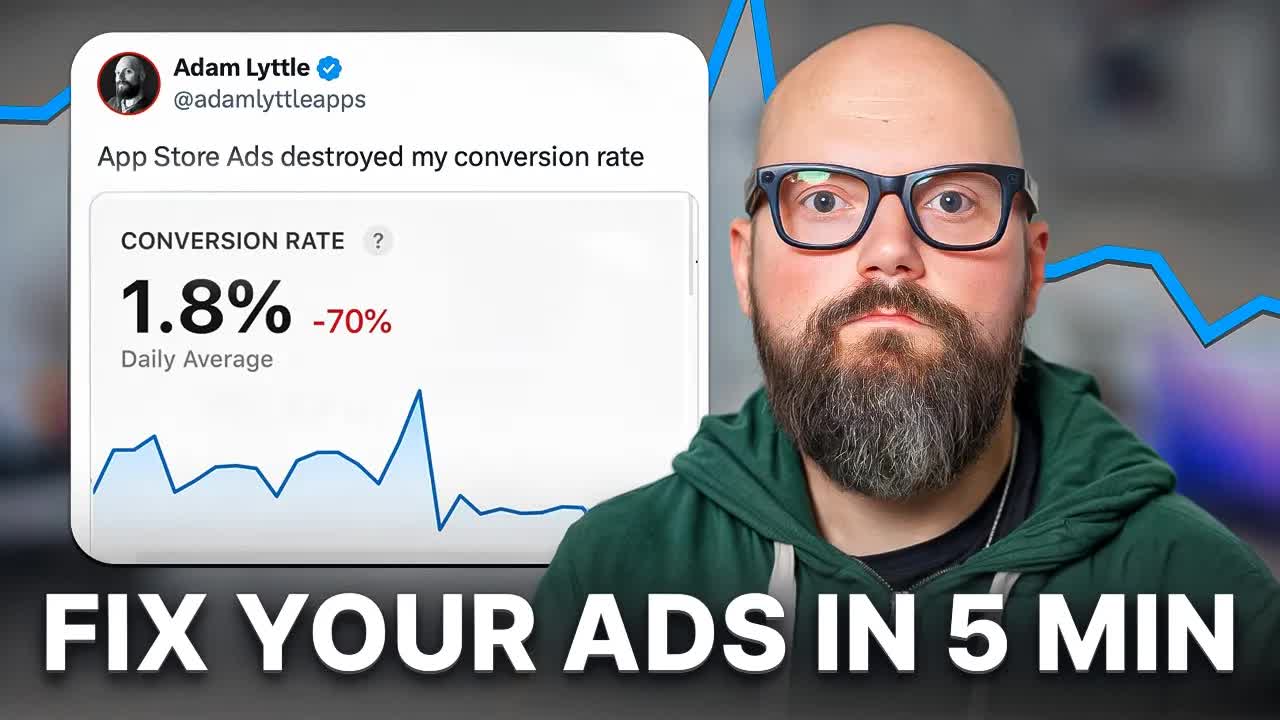
When first starting Apple Search Ads, it is easy to fall into the Search Match trap, the low bid trap, and the single campaign trap and just burn through your budget — an indie developer shares exact avoidance strategies learned from experimenting with his own money.
3 Mistakes I Made After Wasting 800 USD on App Store Ads (Real Campaign Data Revealed)
One-Line Summary
When first starting Apple Search Ads, it is easy to fall into the Search Match trap, the low bid trap, and the single campaign trap and just burn through your budget — an indie developer shares exact avoidance strategies learned from experimenting with his own money.
Key Numbers & Data
| Metric | Value | Context |
|---|---|---|
| Amount wasted via Search Match | 800 USD | Ad spend drained within hours on irrelevant keywords because Search Match was left on |
| Max CPT bid set | 10 USD | Maximum cost-per-tap set instead of Apple's recommended default to actually get impressions |
| Actual average CPT (Visibility) | 0.55 USD | Real average cost-per-tap for the brand keyword visibility campaign |
| Actual average CPT (Launch) | 3.97 USD | Real average cost-per-tap for the launch campaign |
| Actual average CPT (Experiment) | 6.38 USD | Real average cost-per-tap for the experiment campaign |
| Daily campaign budget | 1,000 USD | Daily budget cap set per campaign |
| iPhone vs iPad download ratio | 80% vs 20% | Download ratio by device for the Piano Run app — used to determine product direction |
Background: Why This Matters
Paid advertising on the App Store is a double-edged sword for indie developers. Used well, you can achieve in weeks the visibility that would take months through organic search alone. But if you leave the default settings as they are, your budget evaporates fast.
Apple Search Ads in particular emphasizes an "easy start," but hidden behind that convenience are traps aimed at beginners. Auto-enabled Search Match, conservative default bid recommendations, and no guidance on campaign structure separation are the prime examples.
This post shares the real-world experience of an indie developer who ran ASA campaigns for his piano learning app "Piano Run," actually lost money, and the practical know-how he picked up along the way.
Key person background: Adam Lyttle is a Melbourne, Australia-based indie iOS developer. After experiencing over 200,000 USD in debt, homelessness, and divorce, he taught himself to code and started releasing apps in 2020. He now operates over 50 apps with cumulative App Store revenue of 1 million USD. He earns approximately 50,000 USD per month and has sold 8 apps — a battle-tested indie developer.
- Based in Melbourne, Australia, operating App All Day Pty Ltd
- From over 200K USD in debt to 1M USD in cumulative App Store revenue
- Portfolio of 50+ apps, monthly revenue of approximately 50,000 USD
- Piano Run (PIANORUN) — App Store Education category, 4.6 stars (236 ratings), Free
- Substack newsletter with 1,000+ subscribers, podcast "Diary of an Indie App Developer"
- Real solo indie developer experience, not a Forbes Cloud 100 company
Related market data:
- Global median CPT: 0.92 USD, US average: 1.91 USD (Source: AppTweak Benchmarks 2025)
- Education category average CPT: 2.06 USD, CPI: 3.24 USD (Source: AppTweak Benchmarks 2025)
- Games category US average CPT: 4.21 USD, CPI: 12.28 USD (Source: AppTweak Benchmarks 2025)
- Brand campaign conversion rate 73%, Generic 54%, Competitor 50% (Source: AppTweak Benchmarks 2025)
- 65% of App Store downloads come directly from search (Source: Apple official)
- Negative keyword strategy can reduce Search Match budget waste by 20-30% (Source: 618 Media)
- Multiple ad placements within search results launching March 2026 (Source: MacRumors / Apple official)
Key Insights
1. Search Match Is an "Automated Budget Drain" — Why You Must Turn It Off
The very first trap you encounter in Apple Search Ads is Search Match. When you create a new Ad Group, this feature is turned on by default.
Apple describes it as "the easiest way to get your ads up and running." It automatically matches your app to relevant search terms. But in reality, it dumps your budget into completely irrelevant keywords.
Looking at a real example: "learn piano" was set as an Exact Match, but because of Search Match, ads were shown for completely different-intent keywords like "beats," "music editing," and "sheet music." Users searching for a piano learning game and users searching for music editing software are completely different people.
The result was 800 USD evaporating in just hours. The keywords tab showed 0 clicks, but the campaign overall had spent 800 USD — this was the reason. If you check "All Keywords → Search Terms," you can see the irrelevant search terms that Search Match matched.
The solution is simple. Turn off Search Match in every Ad Group. And only use Exact Match keywords.
"App Store Ads describes search match as the easiest way to get your ads up and running. But the real description should actually be the easiest way to waste your budget by automatically matching your ad to useless keywords."
How to apply: Check the Search Match setting in all currently running Ad Groups, and if it is on, turn it off immediately. Check "All Keywords → Search Terms" for unnecessary matched search terms.
Tools mentioned:
- Apple Search Ads - App Store search ad campaign management
2. Apple's Recommended Default Bid Is a Lie — You Need to Start at 10 USD to Get Impressions
When setting up an Ad Group in Apple Search Ads, the system recommends a default max CPT (Cost Per Tap). But you should not trust this number at face value.
If you set the default bid, you will get 0 impressions for weeks. Then one day Apple tells you "you need to raise your bid." This is a waste of time.
The strategy that actually worked in practice was setting the max CPT high at 10 USD. At first glance, 10 USD seems quite expensive. Plus, this is a cost per tap, not per install. If someone taps the ad but does not install, you still pay.
But here is the key — you almost never actually pay 10 USD. App Store search ads use an auction system, so the max bid is just a ceiling saying "I am willing to pay up to this amount." Looking at the actual average CPT paid: the visibility campaign was 0.55 USD, the launch campaign was 3.97 USD, and the experiment campaign was 6.38 USD.
Even when set to 10 USD, you actually pay just slightly more than the competing bid. Set it too low and you keep losing auctions, meaning zero impressions.
"Don't trust it. It's a lie. It lies to you. If you choose the default bid, you'll spend weeks with no impressions."
"I never actually reached the maximum cost per tap bid. It cost me on average 55 cents for my visibility campaign, 3.97 dollars for my launch campaign, and 6.38 dollars for my experiment campaign."
How to apply: Check your current campaign's max CPT, and if you are using the default recommended value, raise it to the 5-10 USD range to secure impressions, then observe your actual CPT data.
3. Putting All Keywords in One Campaign Means One Experiment Can Kill Everything
The third mistake is putting all keywords into a single campaign. It is a natural mistake for beginners, but the consequences are quite severe.
When all keywords are in a single campaign, they share the daily budget. The problem is that if one experimental keyword you were testing uses up all the budget, even the core keywords for brand visibility get paused too.
In practice, experimental keywords consumed the entire 1,000 USD daily budget, resulting in a situation where searching for the app name showed no ads. For an indie developer, App Store visibility is a lifeline, and one experiment cut it off.
The solution is to separate campaigns by purpose. A 3-campaign structure proved effective:
- Visibility Campaign — Brand keywords related to the app name only (Piano Run, etc.). Low volume but the lifeline that must always be running.
- Launch Campaign — Proven core keywords (learn piano game, etc.). Keywords where you expect stable ROI.
- Experiment Campaign — For testing new keywords. Even if budget runs out, other campaigns are unaffected.
Running each with its own daily budget (1,000 USD) ensures experiments never kill visibility.
"All my keywords were in a single campaign. Then, when my experimental keywords reached the daily limit, the entire campaign paused. That meant my app no longer had any visibility in the app store."
How to apply: Review your current campaign structure and separate it into at least 2-3 campaigns: brand visibility, core keywords, and experimental keywords.
4. New Apps with Weak Organic Search Need a Brand Keyword Visibility Campaign
One reason indie developers get drawn to ASA is that App Store organic search exposure is very unfavorable for new apps.
It is common for an app not to appear at the top of search results even when users search for its exact name. Users might search for "Piano Run" but other piano apps appear first. So a strategy of running ads on your own app name keywords to secure minimum visibility is necessary.
The advantage of this campaign is that costs are very low. Since brand keywords have almost no competition, the actual CPT is around 0.55 USD. Volume is low, but it is the minimum safety net that "lets users looking for your app actually see it."
This campaign must never be turned off. That is why separating it from other campaigns and running it independently is the key.
"Organic visibility on the app store is kind of bad at the moment, especially for those new apps. So, I'm paying so people can actually find my app on the app store."
How to apply: Create a separate Visibility campaign with your app name and 2-3 core brand keywords, and set an independent budget so it never gets paused.
5. ASA Keyword Experiments Can Validate Product Direction in Weeks
This is an insight that goes beyond simple ad optimization. You can use ASA as a research tool for determining product direction.
Looking at the Piano Run case, it initially started with a "piano learning tool + game elements" concept. But download data showed 80% from iPhone and only 20% from iPad. This signaled that the main users were "casual gamers" enjoying it lightly on iPhone, rather than "serious learners" trying to learn piano on iPad.
This data completely changes keyword strategy. If you test which keyword — "learn piano" vs "piano game" — shows a higher conversion rate via ASA, you can decide the app's identity based on data.
Getting these kinds of insights from organic search results alone would take months, but with ASA keyword experiments, a few weeks is enough. This feedback can be applied to the app's feature development direction and ASO (App Store Optimization) strategy.
"This market research and feedback informs what features I'll be building into the app and what direction I'll take it. And this is something that would take months to discover with organic search alone. Now, it only takes a few weeks."
How to apply: Compare conversion rates of different keyword groups in ASA experiment campaigns, and reflect the results in your product roadmap and ASO strategy.
6. Search Match OFF, High Bids, Separate Campaigns — The 3 Survival Principles for ASA Beginners
In summary, here are the 3 core principles to follow when starting ASA.
First, turn off Search Match in every Ad Group. If this is on, no matter how precisely you set up Exact Match keywords, it is meaningless. Apple will allocate budget to irrelevant keywords on its own.
Second, set your max CPT bid high when first starting. Apple's recommended default is too low for you to get any impressions at all. Setting it around 10 USD lets you win auctions, and the actual amount paid is much lower.
Third, separate campaigns by keyword purpose. Visibility, core, experiment — you need at least 2-3 to prevent one experiment from killing all visibility.
"Turn off search match for every ad group you create. Set a high bid for keywords when you first start and create new campaigns for each keyword group objective."
How to apply: Create the above 3 principles as a checklist and review them every time you create a new ASA campaign.
Action Checklist
Today:
- Check Search Match settings in all Ad Groups → Turn OFF immediately
- Check "All Keywords → Search Terms" for unnecessary search terms matched by Search Match
- If current max CPT bid is Apple's default recommendation, raise to 5-10 USD
This week:
- Split current single campaign into 3: Visibility / Launch / Experiment
- Create a brand keyword (app name) dedicated Visibility campaign — set independent budget
- Move experimental keywords to a separate Experiment campaign
Long-term:
- Analyze actual CPT, conversion rate, and CPA data per campaign on a weekly basis
- Apply ASA keyword experiment results to product roadmap and ASO strategy
- Build a pipeline to promote high-performing experiment keywords to the Launch campaign
- Run additional competitor keyword test campaigns
References
Related Tools
| Tool | Purpose | Price | Link |
|---|---|---|---|
| Apple Ads (formerly Apple Search Ads) | Apple's official App Store advertising platform. Rebranded to "Apple Ads" in April 2025. 4 placements: Search Results, Search Tab, Today Tab, Product Pages | CPT billing (per tap), 100 USD credit for new developers | Visit |
| SplitMetrics Acquire | Official Apple Ads partner. 200+ automation rules, AI ROAS bid optimization, competitor keyword analysis, Share of Voice tracking | Starter (free, 25K USD/month limit) / Enterprise (custom) | Visit |
| AppTweak | Official Apple Ads partner. 12+ AI keyword discovery, Smart Bidding, ASO + Apple Ads integrated dashboard | Essential 83 USD/month / Grow 299 USD/month / Enterprise custom | Visit |
| App Growth Academy | Run by Teodora Dobre. 7+ years mobile app industry experience (worked on Monopoly Go). ASO, paywall, screenshot optimization tips | Free newsletter + agency services | Visit |
Related Resources
- Apple Ads Campaign Structure Best Practices (Article) - Apple official — Recommends 4-campaign structure: Brand/Category/Competitor/Discovery
- Apple Search Ads Campaign Structure in 2026 (Article) - AppTweak — Includes keyword flow diagrams for 4 campaign types
- Common Apple Ads Mistakes and How to Fix Them (Article) - RadASO — Comprehensive roundup of mistakes including Search Match dependency, bid errors, and neglecting negative keywords
- How to Set Up ASA Campaign the Right Way (Article) - Superwall — ASA campaign setup guide from a beginner's perspective, strongly recommends Search Match OFF
- How One Developer Turned Massive Debt into a 1M Dollar App Empire (Article) - Starter Story — Adam Lyttle's journey from 200K USD in debt to 1M USD in app revenue
Fact-Check Sources
- Search Match ignores Exact Match keyword settings and drains budget on irrelevant keywords → https://superwall.com/blog/the-ultimate-guide-on-how-to-set-up-an-apple-search-ads-campaign-the-right/
- Apple's recommended default CPT is too low for impressions → https://radaso.com/blog/mistakes-in-apple-ads-what-they-lead-to-and-how-to-fix-them
- Putting all keywords in a single campaign is dangerous → https://ads.apple.com/app-store/best-practices/campaign-structure
Questions to Consider
Do you have any Ad Groups in your current ASA campaigns with Search Match turned on? Have you ever checked "Search Terms" to see which keywords your budget is actually being spent on?
If you are using Apple's recommended default bid as-is, are your impression numbers lower than expected? Have you tested how much the actual CPT would be if you raised the bid?
Are you analyzing which keywords users find your app through in ASA data, and using those insights for product development?
Key Takeaways
- 1Check Search Match settings in all Ad Groups → Turn OFF immediately
- 2Check "All Keywords → Search Terms" for unnecessary search terms matched by Search Match
- 3If current max CPT bid is Apple's default recommendation, raise to 5-10 USD
- 4Split current single campaign into 3: Visibility / Launch / Experiment
- 5Create a brand keyword (app name) dedicated Visibility campaign — set independent budget
- 6Move experimental keywords to a separate Experiment campaign
- 7Analyze actual CPT, conversion rate, and CPA data per campaign on a weekly basis
- 8Apply ASA keyword experiment results to product roadmap and ASO strategy
- 9Build a pipeline to promote high-performing experiment keywords to the Launch campaign
- 10Run additional competitor keyword test campaigns
Want to read this later?
Save this insight to access it anytime
Original Video
App Store Ads 초보가 800달러 날린 뒤 깨달은 3가지 실수 (실전 캠페인 데이터 공개)